

























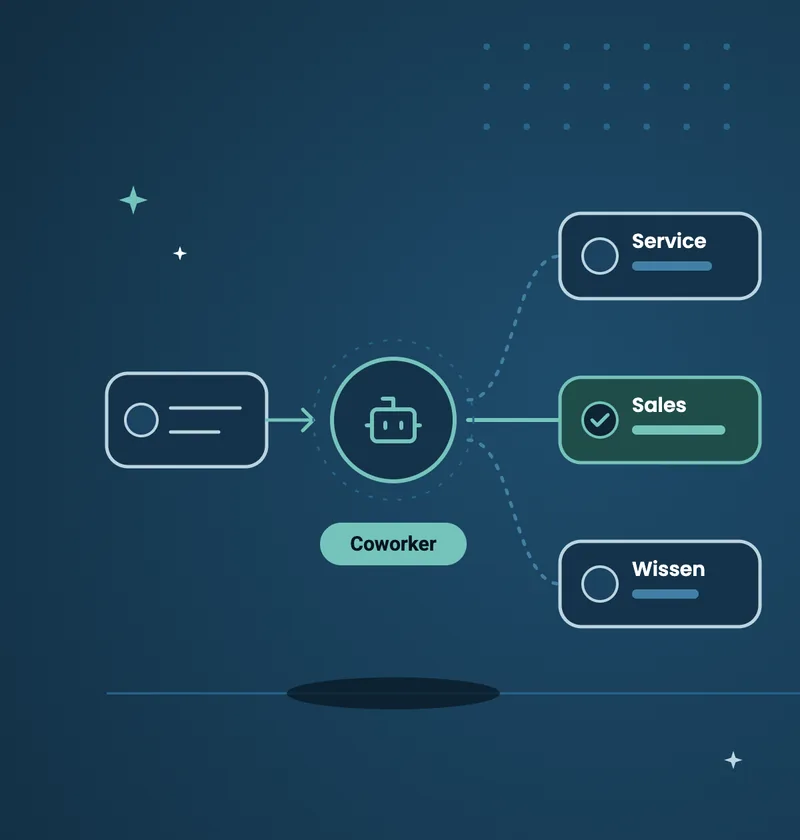
Agentforce Coworker is the central router for your digital workforce. You hand it your request and it automatically delegates the task to the right specialist agent. At the same time it searches connected systems such as your CRM, Slack or external knowledge bases and delivers the answers straight into the environment you are working in, whether that is the Salesforce Lightning Experience or Microsoft Teams.
The mandatory technical prerequisite for this orchestration is an active Data 360 that connects and indexes the data sources. A strict permission model is just as important. Because the Coworker is built on the Salesforce metadata architecture, existing profiles and sharing rules apply to the AI as well.
No more switching tabs
Salesforce, Slack, Teams, Google Workspace and AI tools such as Claude often run side by side in everyday work. Constantly jumping between them costs time. The Coworker brings AI support directly into the channel you are currently working in and saves you a window switch for every piece of information.
Three interaction modes
The “Find” mode is for gathering information. You ask questions in natural language and the Coworker searches CRM data, files, Slack messages and more than 270 connected enterprise sources.
“Catch Up” keeps you up to date: the function proactively summarises what has changed in your workspace while you were in a meeting or on holiday.
For goal-based instructions you use “Plan and Act”. Because digital teams grow and every agent has its own capabilities, the Coworker handles the routing here and forwards your request to the right specialist.
Why Data 360 and clean metadata are mandatory
Agentforce Coworker is part of AIforce, an interface layer built on Agentforce, Customer 360 and Data 360. Data 360 indexes your Salesforce data, makes it searchable for the AI and enforces governance policies.
Because Salesforce was designed as a metadata platform from the start, data and structure are strictly separated. When you create a field, you define its data type and where it is stored. The Coworker is subject to the same security and governance measures as human users. Profiles, permission sets and sharing rules continue to apply and enforce the principle of least privilege.
Preparation and setup in the system
Do not switch the Coworker on without preparation. If your data model is untidy or users have overly broad access rights, the AI will amplify those weaknesses.
Once the groundwork is done, check in Setup whether Data 360 is active. Then assign the “Agentforce Coworker Admin” permission set to the responsible administrators. After that, search for Agentforce Coworker in the Salesforce Go setup menu and flip the switch. The system takes care of the remaining configuration steps automatically.
Want to check whether your Salesforce environment and your data model are ready for Agentforce Coworker? Get in touch. We analyse your architecture and plan the next steps for your permission management together with you.