
































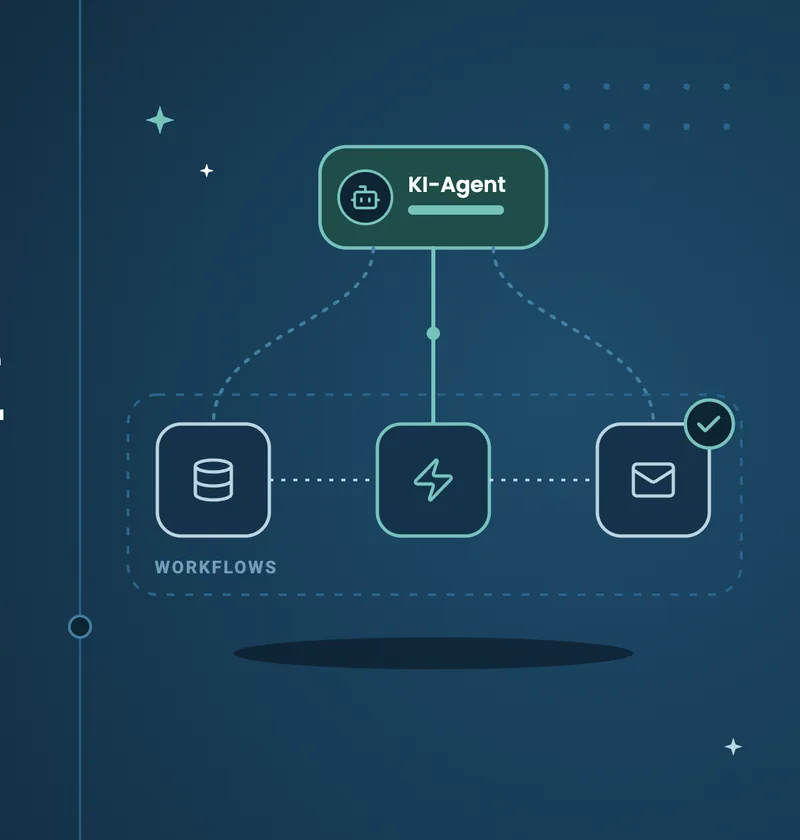
With n8n Agents you separate deterministic process logic from autonomous decision-making. The agent becomes the superordinate instance: it pursues a goal and uses your existing workflows as strictly limited tools. That helps with open-ended B2B processes where inputs vary constantly and cannot be modelled as a rigid sequence.
Can you build AI agents with n8n, and what exactly is that?
Yes, n8n offers the “AI Agent Node” for this. An agent here is essentially an orchestration loop. You define a goal in natural language, choose a language model and provide tools. The agent picks the appropriate tool on its own, waits for the result and plans the next step until the task is done. While a classic workflow runs through a fixed sequence, the agent reacts dynamically to each input.
Architecture of n8n agents
An n8n agent consists of three layers:
- Logic layer: the language model. You can use any model with credentials, such as GPT-4o, Claude or local models via Ollama for isolated environments.
- Memory layer: keeps the context across several interactions and stores sessions.
- Tool layer: comprises connected APIs, databases, MCP servers or your workflows.
The agent is triggered via a chat trigger directly in Slack, via webhook or on a schedule. If an existing workflow has to make an open decision, it calls the agent through the “Message to Agent” node.
Workflows as safe tools for the CRM
In B2B use, the encapsulation of permissions matters most. If an agent accesses a CRM such as Salesforce directly, you would have to grant the language model far-reaching write access and trust that it follows its instructions.
With n8n you avoid that risk: you expose existing workflows as tools for the agent. The agent never receives direct credentials for third-party systems. It only calls a predefined workflow, for example “Add note to account”. What happens inside is hard-wired. The agent passes only the account ID and the text. It cannot change or read any other CRM data.
Example of a support agent for incoming tickets: it uses three workflows as tools. One fetches the account context and checks the contract status. The second writes a note to the account. The third alerts the on-call service if needed. The agent reads the ticket, decides on the next step and drafts replies. Execution stays strictly within the workflows.
Approvals and transparency
For sensitive operations, n8n offers a built-in approval function. If you mark a tool as sensitive, the agent pauses the operation before using it. A human has to confirm the action via “Approve” or “Reject” before the system wakes the on-call service or overwrites records.
n8n also stores every session. Afterwards you can see exactly which steps the agent took, which tools it called and which data it passed on. That helps with troubleshooting and provides the documentation required in regulated industries such as finance or healthcare.
Structured prompts
You start with a trigger. Then you add the “AI Agent” node and choose the language model. The most important lever is the system prompt: this is where you define the agent’s role and give clear instructions about the tools. The more specific the instructions, the more reliable the model. Vague prompts lead to unpredictable tool calls.
Agent or workflow?
Deliberately keep the agent’s radius of action small for sensitive systems. Use tightly scoped workflows as tools and start with test channels and human approval loops for every action that changes data in systems of record.
The rule of thumb: if a process step should always run the same way, it belongs in a fixed workflow, for example enriching and routing leads. If you need flexibility for unpredictable requests, such as support triage or ad hoc queries in Slack, the agent takes over. This boundary is not set in stone. You can move tasks from the agent into a workflow at any time to increase control.
Want to evaluate which processes are suitable for agents and how to connect Salesforce safely? Talk to us. The Aviando team supports you with your n8n architecture.